Account management
Your apps' data is yours. You can download any app you own, with its whole history, and delete your account with everything it owns.
The Account tab
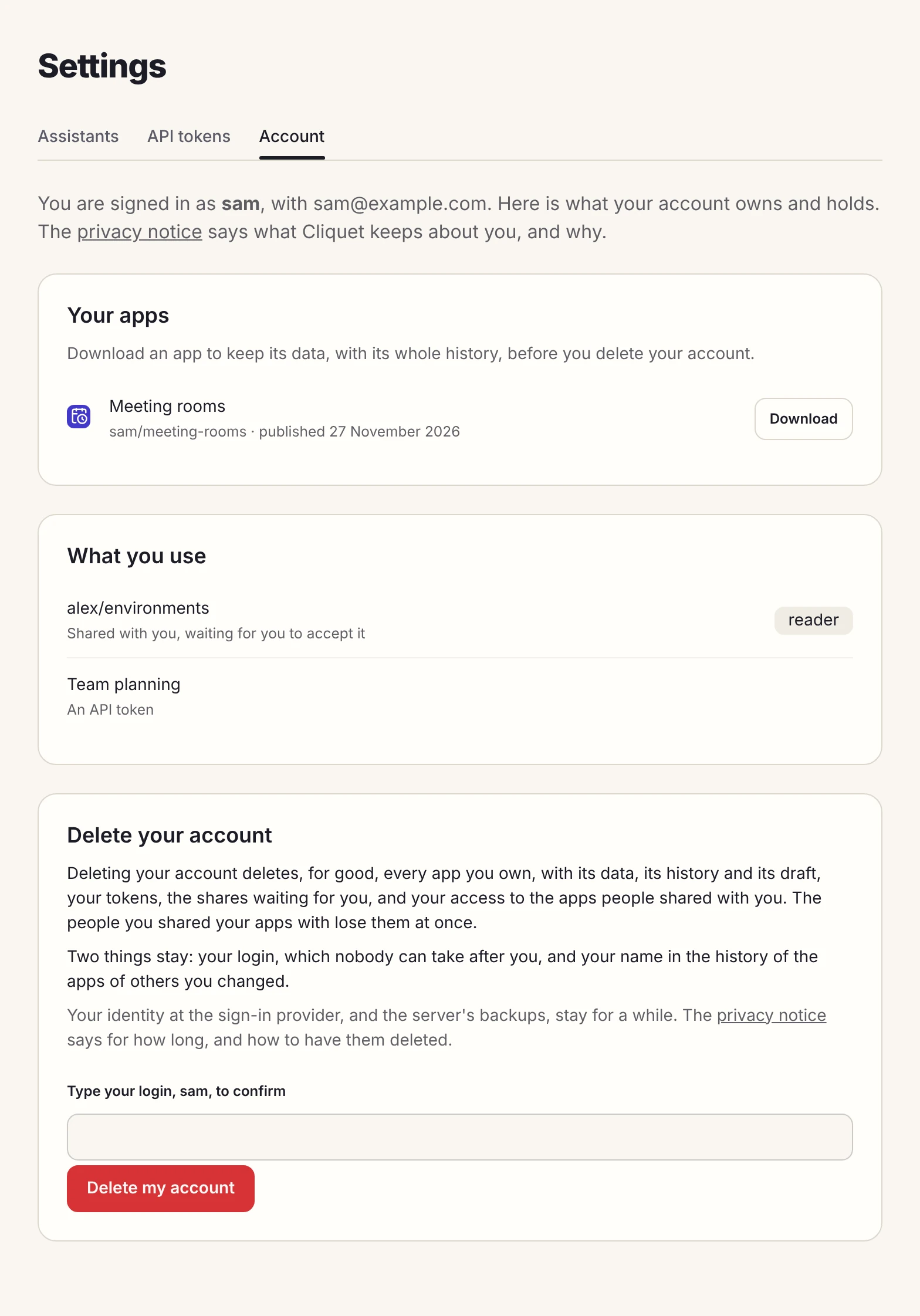
In the console, click your login at the bottom of the menu, or Settings then Account. The tab lists:
- Your apps: the apps you own, each with a Download button;
- Sandbox time, when the server sets a monthly budget: how many minutes your apps' code ran this month, of your budget, and when it resets. Past it, every call that runs your apps' code is refused until then, yours and those of the people you share them with. An app that isn't running can't start then, so even its history waits for the reset;
- What you use: the apps shared with you, the shares waiting for you, and your API tokens;
- Delete your account.
Sign out, next to your login, signs you out of the console. To disconnect an assistant, remove Cliquet from its connectors.
Download an app
The owner of an app can download it, with its code, its data and its whole history, as one zip file. People you shared the app with can't.
- In the console, open the app. It opens on its Overview tab.
- Under Data, click Download the app.
- In the console, click your login at the bottom of the menu.
- Under Your apps, click Download next to the app.
This tab works even if your account can no longer build apps.
A draft that was never published can't be downloaded: nothing of it is kept yet.
The zip
The zip is named after the app and the day, such as meeting-rooms-2026-11-24.zip. It holds:
- the app's code,
app.py, with its instructions and its tests; - its data files, as the last change left them. Open them with any tool, such as a spreadsheet;
- its whole history: every change, with when, who, which action and its remark.
The zip is a git repository, and the history is its commits: read it with git log in the unzipped folder. A transaction that is still open isn't in the zip.
Delete your account
Deleting your account removes everything you own on Cliquet, and every access you hold. To delete one app and keep your account, see Delete your app.
Deleting an account can't be undone
Download every app you want to keep first. Tell the people you shared your apps with: they lose them at once.
-
Open the Account tab.
In the console, click your login at the bottom of the menu.
-
Check what goes.
The lists under Your apps and What you use show everything the deletion removes.
-
Type your login, and click Delete my account.
Under Delete your account, type your login exactly, click Delete my account, and confirm.
Cliquet signs you out and shows Your account is deleted. From that moment, nobody can reach anything of the account. If some of it is still being removed, the page says so, and the server finishes when it next starts.
Removed and kept
| Removed | Kept |
|---|---|
| Every app you own, published or draft, with its data, history, preview and errors | Your login: nobody else can take it, since it appears in apps' history |
| Your sandbox, with your apps' code | Your login in the history of other people's apps you changed, which is never rewritten |
| Your API tokens | Your login in the errors other people's apps kept from your calls, for up to 30 days |
| Your access to apps shared with you, and the shares waiting for you | Your identity at the sign-in service, and the server's backups, for a while |
| The shares of your apps: those people lose access | |
| Your email, and the link between your account and your sign-in |
The privacy notice, linked from the console's menu, says how long the identity and the backups are kept, and how to have them deleted. If you sign in again later, you get a new, empty account, with a new login.